
Copy tables
Copy tables transfers configuration data from one company to another – from test to production, for example. A configuration that has been built once does not have to be entered again.
What is this for?
- Move a configuration between companies.
- Pick individual tables instead of copying everything.
- Optionally skip records that already exist.
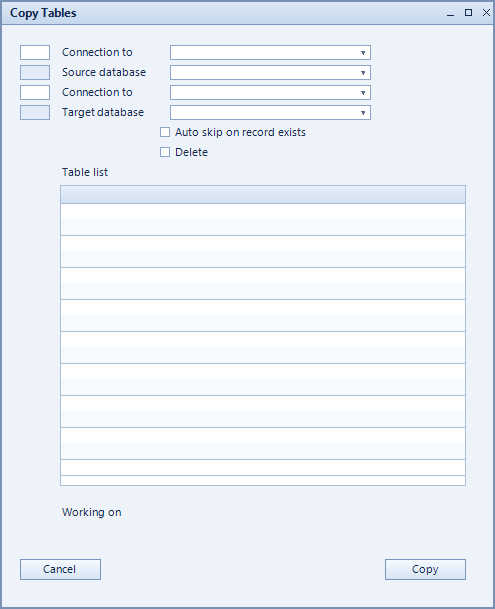
How to set it up
- Choose source connection and source DB as the origin.
- Choose target connection and target DB as the destination.
- Mark the tables to transfer in the table list.
- Tick auto skip on record exists to leave existing records untouched.
- Start with copy; working on: shows the progress.
Fields of the form
Captions taken from the "Copy Tables" form.
| Field | Meaning |
|---|---|
| Source connection | Connection to the source database. |
| Working on: | Shows which table is currently being transferred. |
| Source DB | Source database or company. |
| Target DB | Target database or company. |
| Table list | Selection of the tables to copy. |
| Auto skip on record exists | Existing records are skipped instead of overwritten. |
| Target connection | Connection to the target database. |
| Delete | Removes an entry from the selection. |
| Copy |